Updated: April 2026
What School Filters Actually Do
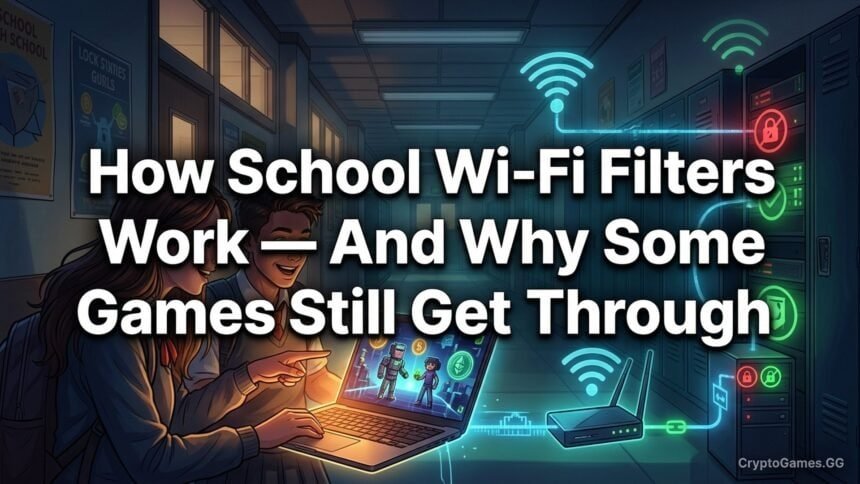
School internet filters are software systems that sit between a student’s device and the open internet, intercepting web requests and deciding which ones to allow. When a student on a school Chromebook types a URL into Chrome, that request does not go directly to the web server — it passes through the filter first. The filter checks the destination against its rules and either forwards the request or returns a block page.
The goal of school filtering is compliance with federal law. Schools receiving federal E-rate funding for internet access are required under the Children’s Internet Protection Act (CIPA) to implement technology protection measures that block visual depictions of obscenity, child pornography, and content harmful to minors. In practice, most schools filter far more broadly than CIPA requires — blocking entire categories like Gaming, Social Media, and Entertainment — both for policy reasons and to reduce distraction during class time.

Understanding how this filtering works in technical terms explains why some platforms get blocked immediately and others remain accessible for months.
The 3 Main Filtering Methods Schools Use
Domain Blacklisting
The most straightforward method. The school’s filter maintains a list of blocked domains — coolmathgames.com, friv.com, kongregate.com, and thousands of others. When a student tries to access any URL on that domain, the filter blocks the request before it reaches the web server.
Blacklisting is reactive: a domain has to be known and identified before it can be added to the list. A brand-new gaming site that launched yesterday is not on the list. This is why newly created pages on platforms like Unblocked Games G Plus remain accessible — they have never been encountered by the filter before.
Most commercial filter providers maintain shared blocklists that are updated centrally and pushed to all subscribing schools. When a popular gaming site gets added to the central blocklist, every school using that provider blocks it simultaneously. But there is always a lag between a new site appearing and being added to the list.
Category-Based Filtering
More powerful than blacklisting because it works proactively. Filter providers classify websites into categories — Gaming, Entertainment, Social Media, Adult Content, Gambling, etc. School administrators can turn off entire categories with a single setting.
Category filtering is why logging onto school Wi-Fi makes large portions of the internet disappear even when you have never visited those specific sites before. The filter identifies the category of the domain you are trying to reach and blocks it based on that classification, not based on whether anyone has manually added it to a list.
The limitation of category filtering is that categories are assigned by the filter provider, not the school. A site can only be blocked if it has been classified. A Google Sites page hosting a game is classified as educational productivity software — not as gaming — because the domain is used primarily for legitimate educational purposes. The filter has no mechanism to identify that a specific page within Google Sites contains a game.
Deep Packet Inspection (DPI)
The most technically sophisticated method, used by a minority of schools with high-security network configurations. DPI does not just look at where a request is going — it inspects the content of the traffic itself, analyzing what is being sent and received rather than just the destination URL.
A DPI system can theoretically identify game traffic even when the destination domain is whitelisted, based on traffic patterns characteristic of real-time interactive gaming (high-frequency small packets, specific timing patterns). In practice, DPI is resource-intensive, generates false positives, and is rarely configured to block games specifically on school networks. Most schools that deploy DPI use it for security purposes (detecting malware communication patterns) rather than for gaming restriction.
The Most Common School Filter Systems
GoGuardian
GoGuardian is the most widely deployed filtering system in US schools, particularly in Google Workspace for Education environments. It operates as a Chrome extension installed on managed Chromebooks, which means the filter travels with the device rather than being tied to the school network. A student using a GoGuardian-managed Chromebook on home Wi-Fi is still subject to the filter.
GoGuardian also includes a Teacher product that gives teachers a real-time view of every student’s screen. This is a separate capability from the filter itself — filtering blocks sites, while Teacher provides visibility. Schools that use both products give teachers the ability to see what is on every student’s screen without walking around the room.
Securly
Securly is a cloud-based filter that operates at the network level and can also be deployed as a Chrome extension. It includes AI-based content classification that can categorize new sites quickly, reducing the lag window that students rely on when using newly created game pages.
Lightspeed Systems
Lightspeed Systems is common in larger school districts. Like GoGuardian, it can be deployed as both a network-level filter and a device-level extension, giving administrators visibility into device activity even off the school network.
iboss
iboss is an enterprise-grade filtering system used more commonly at the district level. It uses cloud-based traffic routing, meaning all web traffic from the school network passes through iboss’s infrastructure for analysis before reaching the destination. This approach provides more comprehensive visibility than extension-based systems but is more complex to configure.
Why Google Sites Games Get Through Filters
This is the core of why Unblocked Games G Plus and the Google Sites version of Classroom 6x remain accessible on virtually every school network: they are hosted on sites.google.com, a domain that every Google Workspace for Education school must allow.
Domain blacklisting cannot touch sites.google.com because the school depends on it for Google Classroom, Google Drive shared links, and student project pages. Adding sites.google.com to a blocklist would break the school’s own tools — no IT administrator will accept that trade-off.
Category filtering also fails here. sites.google.com is classified as educational productivity infrastructure by every major filter provider. It is not in the Gaming category. Reclassifying it would require manually overriding the provider’s classification for one of Google’s core domains — an action that would also break all the legitimate educational content hosted there.
Individual G Plus pages can be manually identified and added to a school-specific blocklist. But because new pages are created faster than blocklists are updated, and because new pages appear at a domain that cannot be categorically blocked, the supply of accessible G Plus pages is functionally unlimited.
Why HTML5 Games Are Different from Downloaded Games
School endpoint protection software and device management systems are specifically designed to catch executable files — programs that install and run on the operating system. A game downloaded as a .exe file gets flagged by antivirus software, blocked by device management policies, and often triggers administrative alerts.
HTML5 games are not executable files. They are web pages rendered by the browser. The browser is the runtime environment — Chrome executes the JavaScript that makes the game work, using the same execution pathway it uses to run any other web application. From the device’s management perspective, a student playing an HTML5 game is doing the same thing as a student using Google Docs. Both are browser sessions rendering web content.
This is why all the games on platforms like Unblocked Games 6x and G Plus are HTML5-based. Flash games required a plugin that no longer exists. Downloaded games require executable files. HTML5 games require only a browser, which every student already has.
What Happens When a Game Site Gets Blocked
When an IT administrator identifies a specific gaming page and adds its URL to the school’s blocklist, students who try to access that URL receive a block page instead of the game. The blocking is URL-specific — only that exact URL is blocked, not the entire hosting domain.
For dedicated gaming domains (like a standalone gaming site), this is effective. The domain has one purpose; blocking it removes access to that content.
For Google Sites-hosted games, blocking a specific URL leaves the rest of Google Sites — including all legitimate educational content — untouched. The student simply searches for a different G Plus page, which was created after the blocklist was last updated and has never been added to it. This process repeats indefinitely. The administrator can block each page as they discover it, but they cannot block the Google Sites domain itself, and new pages appear faster than they can be catalogued.
This is the technical reason why understanding how G Plus bypasses filters is useful — it is not about circumventing security, it is about the structural impossibility of blocking a domain that the school’s own tools depend on, applied to a network of content that regenerates faster than it can be blocked.
FAQ
How do school internet filters work?
School filters primarily use domain blacklisting (blocking specific websites by URL), category-based filtering (blocking entire categories like ‘Gaming’), and sometimes deep packet inspection to analyze traffic content. Systems like GoGuardian, Securly, and Lightspeed manage these rules.
Can schools see everything you do on school Wi-Fi?
Yes, on school-managed networks and devices, administrators typically have visibility into browsing history, visited URLs, and sometimes screen content depending on the filter system deployed.
Why does GoGuardian block some games but not others?
GoGuardian uses category-based blocking. Sites categorized as ‘Gaming’ are blocked. Google Sites is categorized as educational infrastructure, so game pages hosted on it bypass the category block.
Does incognito mode bypass school filters?
On managed school Chromebooks with GoGuardian or similar extensions installed, incognito mode does not bypass filtering. The extension operates at the device level, not the browser session level. On personal devices connected to school Wi-Fi, incognito mode may prevent local history from saving but does not affect network-level filtering.