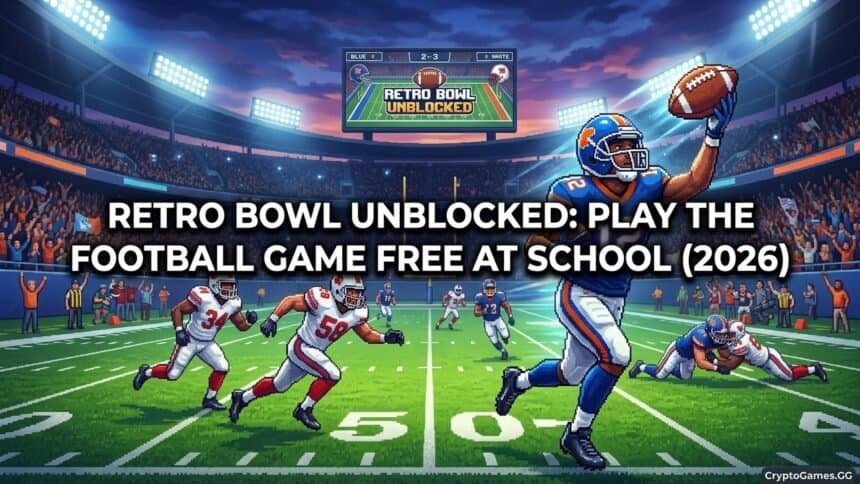
What Is Retro Bowl?
Retro Bowl is a free browser-based American football game that combines hands-on offensive gameplay with a franchise management simulation. You control your team both on the field — calling plays and throwing passes during games — and in the front office, where you manage the salary cap, draft new players, handle contract negotiations, and deal with player morale events between seasons.
The game was developed by New Star Games and is available in both mobile (paid) and browser (free) versions. The browser version is the complete game with no paywalled content. Retro Bowl uses deliberately simple pixel art graphics that belie the depth of the management system underneath — the front office decisions are genuinely consequential, and teams built with poor roster management perform noticeably worse regardless of how well you play the game mechanics.
What makes Retro Bowl exceptional for school use is its flexibility in sessions. You can play a single game in 5–7 minutes, or you can spend 20 minutes on roster management and game prep before stepping onto the field. The game saves progress continuously, so closing the tab and returning later picks up exactly where you left off. Unlike reflex games like Slope where every session starts fresh, Retro Bowl accumulates across sessions — you are building something over time.

How to Play
Retro Bowl opens with a brief setup: name your team, choose your coach name, and pick your difficulty level. Easy difficulty is recommended for first-time players — it allows you to understand the management system before the game mechanics become punishing.
The game begins with a pre-season overview of your roster. Review your players, their ratings, and their positions. The initial roster is intentionally mediocre — improving it through the draft and trades is the primary management task across your first season.
Once the season starts, you play games when they are scheduled. Each game puts you in control of the offense. You call plays from a simplified playbook, take snaps, and throw or run the ball. The defense is handled automatically — you do not control defensive plays.
Management Tips
Prioritize your quarterback above all other positions. Retro Bowl’s offense is passing-heavy. A high-rated quarterback (7.0+ stars) dramatically improves your offensive output more than any other single roster upgrade. Draft and sign a quality QB in your first two seasons.
Keep player morale above 3 stars. Morale affects performance during games. Players with very low morale perform noticeably worse. Morale events (players requesting contract extensions, media controversies, injury concerns) appear regularly. Resolving them in the player’s favor costs morale points but maintains team chemistry. Ignoring them repeatedly tanks the entire roster’s morale.
Manage the salary cap proactively. Signing multiple high-cost players creates a cap crunch that prevents future signings and forces you to release good players. Keep 2–3 coaching credits in reserve for contract emergencies. A balanced roster within cap space consistently outperforms a star-heavy team that cannot afford depth.
Use the draft for offensive linemen and defensive players. These positions are expensive to sign via free agency but available cheaply in the draft. Prioritize skill positions (QB, WR, RB) in free agency; fill lineman and defensive spots through the draft.
Win Retro Bowls to unlock facilities upgrades. Winning the championship unlocks facility improvements that permanently boost player development. The rehab center (reduces injury recovery time) and the training facility (improves player ratings over time) are the highest-priority upgrades.
Gameplay Controls
| Action | Input |
|---|---|
| Call snap / hike | Click or tap |
| Aim pass | Click and drag in throwing direction |
| Throw pass | Release click |
| Select receiver | Click receiver icon on-screen |
| Scramble (QB run) | Drag toward open field before throwing |
Leading your receiver is the key throwing skill. Drag your throw slightly ahead of where the receiver is running — not at them. A pass thrown to their current position will arrive after they have moved, resulting in an overthrow or interception. A pass thrown to where they will be when the ball arrives is a completion.
Season Mode Guide
First season goal: Reach the playoffs, not win the championship. Use the first season to understand your roster’s strengths, identify the biggest gaps, and accumulate coaching credits for the draft.
Second season goal: Address the biggest roster weakness identified in season one. If your QB is below 6.5 stars, prioritize QB. If your receiver corps is weak, draft/sign WRs.
Third season and beyond: A team built with proper cap management and a quality QB should be consistently competitive. Focus on morale management and depth — the teams that fall apart in later seasons usually do so because of morale collapse or cap crunch from poor early decisions.
Where to Play Retro Bowl Unblocked
Unblocked Games G Plus hosts Retro Bowl on Google Sites. Search site:sites.google.com retro bowl unblocked for currently active pages.
For multiplayer options to play between Retro Bowl sessions, 1v1.LOL offers 3–5 minute competitive matches on the same platforms.
See the full best unblocked games for Chromebook guide for a complete ranked list including Retro Bowl and all other top titles.
FAQ
Is Retro Bowl free?
The browser version of Retro Bowl is completely free with no purchases required. A premium mobile version exists with additional features.
How do you throw in Retro Bowl?
Click or tap to hike the ball, then click and drag in the direction you want to throw. Release to throw. Lead your receiver — throw slightly ahead of where they are running. Short passes are safer; deep throws are riskier but high reward.
Does Retro Bowl save progress?
Yes. Retro Bowl saves progress locally in your browser. Closing the tab and reopening it returns to where you left off, as long as you use the same browser and device.
Can you play Retro Bowl on Chromebook?
Yes. Retro Bowl is fully HTML5-based and runs in Chrome with no downloads or extensions. It performs well on school-issued Chromebooks.