
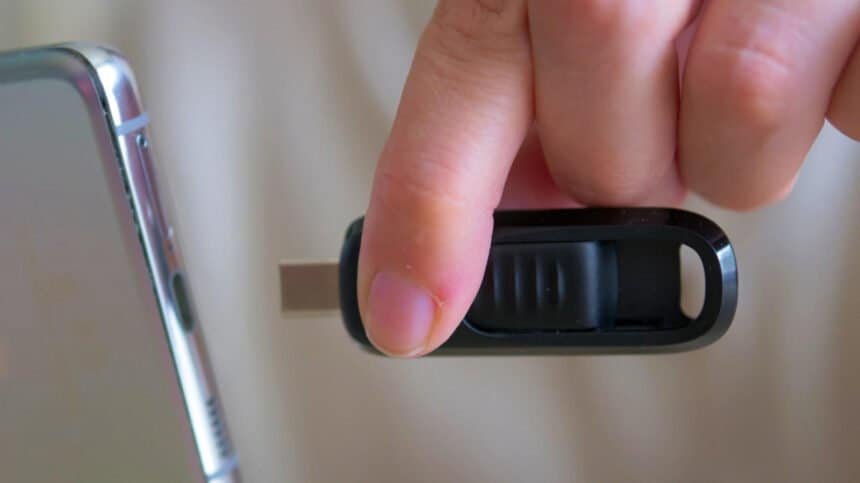
The connector on the end of your flash drive tells you almost nothing about how fast it is. That’s the part most people get wrong, and it’s the part that costs money.
A USB-C drive built around USB 2.0 will lose to a USB-A drive running USB 3.2. Every time. The shape of the plug is a description of the physical connection, not a performance rating.

The port matters as much as the drive
Plug a fast USB-C drive into a USB 2.0 USB-C port and you get USB 2.0 speeds. The slowest link in the chain wins, and it doesn’t care what you paid.
It works the other way too. A slow USB 2.0 USB-A drive won’t suddenly benefit from the USB 3.2 Gen 1 port you plug it into.
So check the read and write speeds on the box before you buy. You can’t infer them from the connector.
Where USB-C genuinely wins
Convenience, mostly. The smaller reversible port is on most modern laptops, tablets and, more to the point here, smartphones. Moving a pile of photos, video or documents off a phone is where USB-C is hard to beat.
USB-C is capable of faster top speeds than USB-A. But both the drive and the device have to support the faster standard for that to mean anything, and with flash drives those theoretical caps aren’t practical to reach anyway.
Take a USB 3.0 drive. The only real difference between the USB-A and USB-C version is the physical connection. That’s it.
USB-A isn’t dead, and the spec sheet says so
USB-A handles USB 3.2 Gen 1 and Gen 2 speeds, up to 10 Gbps. The underlying USB Gen 2 protocol was designed to support both connectors, with USB-A dropping out only above 10 Gbps.
The familiar rectangular Type-A port is still everywhere: desktop PCs, laptops, TVs, routers, cars, game consoles. USB-C has slowly worked its way into larger devices, but a budget laptop usually has fewer USB-C ports than a top-end one.
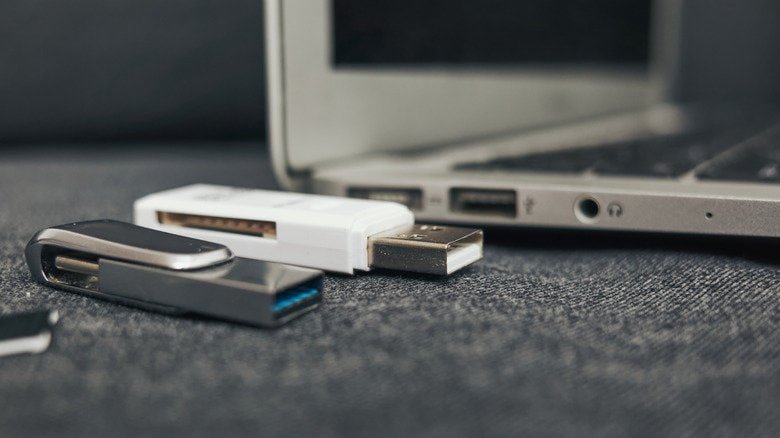
And a USB-A drive remains the easiest way to move a file without hunting down an adapter. It’s the one you want for bootable OS installation media, for firmware updates, for pulling photos and video off gear with few or no USB-C ports. A basic one is cheap and easy to replace.
The dual-ended drives, and the catch
A dual-ended USB-C/USB-A flash drive is the most flexible thing you can carry. No adapters, both ports covered.
It’s not automatically the fastest, though. Both ends usually run to the same controller and the same USB protocol inside the drive, so check the manufacturer’s speed specs or you’ll end up with something terribly slow in two shapes instead of one.
What to actually buy
On a brand-new laptop or desktop, USB-C is almost always the better pick, especially if you’re constantly shuttling files between your iPhone or Android device and your computer. The argument is convenience, not speed.
Go USB-A if compatibility is your priority or you work on older machines. Keep one around for boot media, older PCs and shared office equipment. Adapters will bridge the gap if you’d rather not buy more drives, but that’s one more thing in your bag.
If you move massive files for a living, video editors and 3D artists included, USB-C is where you’ll land. Just know that at 20 Gbps and above, the products worth buying are portable SSDs, not thumb drives.