
What Is Unblocked Games 6x?
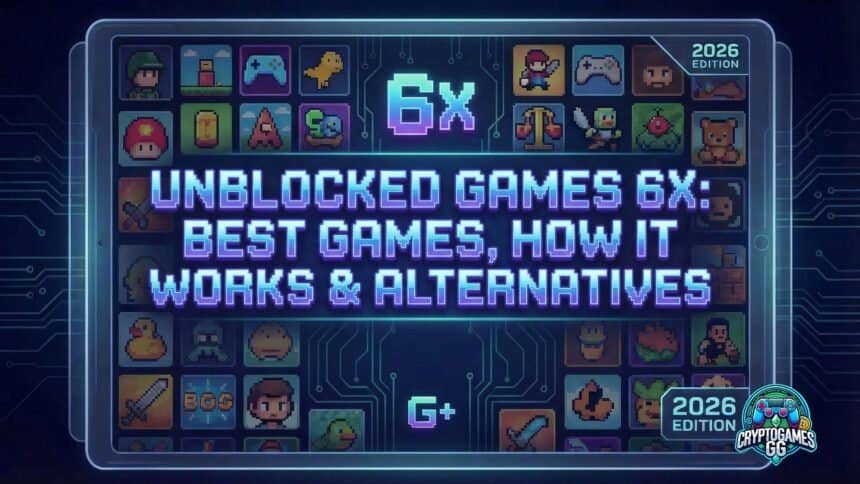
Unblocked Games 6x is a free browser-based gaming platform that hosts hundreds of HTML5 games playable on school and workplace networks. It requires no downloads, no logins, and no browser extensions — everything runs directly in Chrome or any other modern browser. It’s one of the most-searched unblocked game platforms alongside Unblocked Games G Plus and Classroom 6x, and operates using a mirror-based system that keeps content accessible even when individual domain URLs get added to school blocklists.
The “6x” in the name is a branding convention, not a description of the game count or a version number. It’s a naming style that became widespread in the unblocked games ecosystem — you’ll find 66, 76, 77, 88, 99, and 6x variants of similar platforms, all independently operated and sharing the same basic concept: browser-based HTML5 games on networks that block conventional gaming sites.
Unblocked Games 6x is a dedicated gaming platform with its own domain infrastructure. Unlike platforms hosted on Google Sites, it doesn’t share its domain with educational tools — which means its filter-resistance strategy is different. Instead of leveraging Google’s infrastructure, 6x relies on mirror URLs: when one domain gets caught and added to a school’s blocklist, a mirror immediately takes over. It’s a cat-and-mouse approach rather than a structural bypass, which means it works on most networks but is more vulnerable on aggressively managed ones.

What it does well: the game library is large, consistently maintained, and spans every major genre. The interface is clean and functional, with games organized by category. Load times are fast. And crucially for a school audience, the experience is designed for Chromebooks — low-spec devices where many gaming platforms underperform.
How Unblocked Games 6x Works at School
School filter systems like GoGuardian, Securly, and Lightspeed Systems block websites through two main methods: domain blacklisting and category-based filtering. Domain blacklisting means specific URLs get added to a blocked list manually. Category filtering means entire categories — “Gaming,” “Entertainment,” “Social Media” — get switched off automatically for all sites that match those classifications.
Unblocked Games 6x counters both with the same tactic: rotation.
Mirror domains. Instead of existing at a single permanent URL, Unblocked Games 6x operates across multiple mirrors. When a school IT administrator identifies a domain and adds it to the blocklist, users switch to a currently active mirror. Because new mirrors can be created faster than blocklists are updated, there’s always an accessible URL. This doesn’t defeat filtering permanently — it creates a lag. On most school networks, that lag is long enough to keep the platform accessible indefinitely.
HTML5 technology. Every game on the platform is HTML5-based, which matters for two reasons. First, nothing downloads to the device — no executable files, no installer packages, nothing for endpoint protection software to flag. Second, no browser plugins or extensions are needed, so students don’t trigger device management alerts by installing additional software on school-issued Chromebooks.
Category ambiguity. New mirror domains haven’t yet been classified by filter systems. A brand-new mirror URL exists in a category vacuum — it isn’t listed as “Gaming” because it hasn’t been indexed by the filter yet. This typically gives new mirrors a window of several days to several weeks before they’re identified and categorized.
The difference from G Plus. Unblocked Games G Plus takes a fundamentally different approach — it’s hosted on Google Sites, the same domain as Google Classroom, which means schools can’t block it without breaking their own infrastructure. That’s a structural bypass; this is a speed bypass. Both work, but for different reasons and with different failure modes. On a network that’s actively managed by an IT admin who updates blocklists daily, G Plus will outlast 6x. On a typical school network where blocklists are updated weekly or less, 6x stays accessible just as consistently.
Best Games on Unblocked Games 6x
These are the most consistently available and most-played titles on the platform in 2026.
Slope

The platform’s flagship game and the most-searched unblocked game overall. You steer a glowing ball down an infinite 3D slope — left and right arrow keys, no other controls, no story, no end. The slope accelerates continuously until you fall off or hit an obstacle. What keeps players coming back is the purity of the competition: your score is always visible, it’s always your fault when you fall, and the next run starts in one keypress. Sessions are self-terminating — you die, the bell rings, you close the tab. No progress lost.
Our Slope unblocked guide covers high score techniques and why it’s remained the most popular unblocked game for years.
Controls: Left/Right arrow keys. Session length: 1–5 minutes.
Run 3

A space-themed endless runner where tunnels rotate around you, gravity shifts mid-level, and holes in the floor end your run without warning. Run 3 is the most content-rich game in the unblocked space — over 300 levels in Explore mode, multiple characters with distinct physics properties, and an Infinite mode with no endpoint.
Its staying power comes from the character system: the Runner handles differently from the Skater, the Lizard, the Child. Experienced players debate which character handles which tunnel configuration best. That’s a depth that most browser games don’t reach.
Controls: Arrow keys or WASD. Spacebar to jump.
1v1.LOL
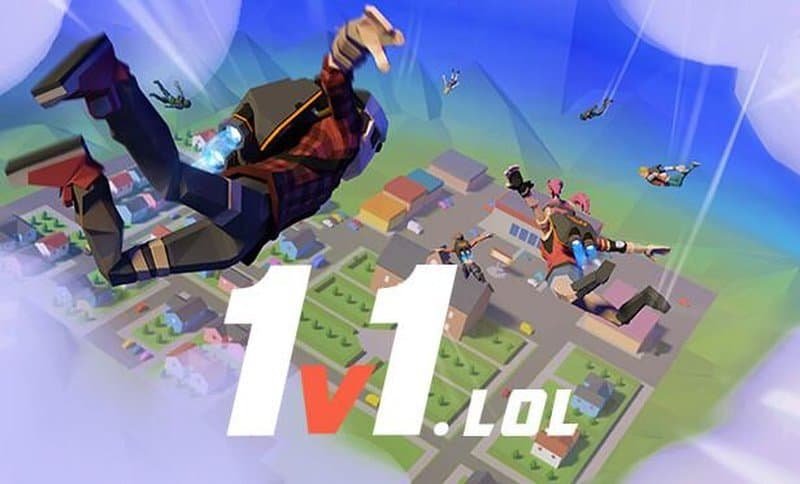
The multiplayer pick for players who want competition rather than a personal high score. 1v1.LOL is a competitive browser shooter with Fortnite-style building mechanics — you build walls, ramps, and floors for cover and height advantage while trying to eliminate your opponent. Matches run 3–5 minutes. The 1v1 format means no waiting for lobby fill.
The building system is the barrier for new players. It takes a session to learn the keybinds (Q for wall, E for floor, C for ramp, F for roof) and another session to use them under pressure. Once it clicks, it’s the most replayable game on this list.
Controls: WASD + mouse to aim, Q/E/C/F to build.
Happy Wheels
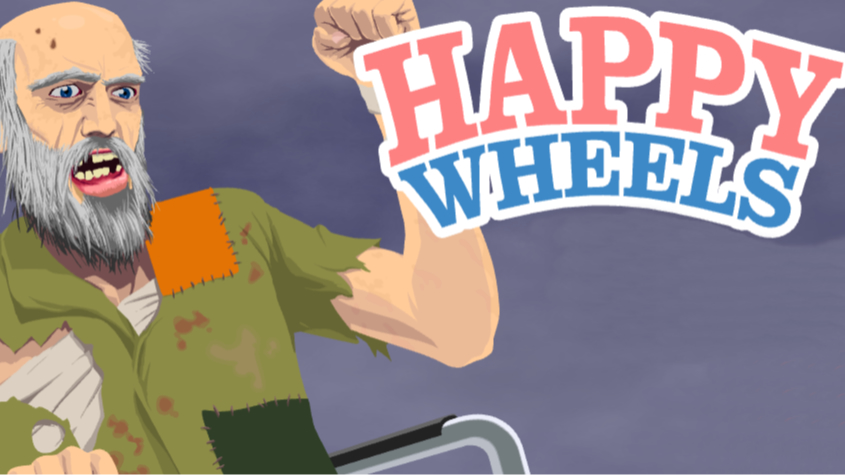
A physics ragdoll game where you navigate vehicles — bicycles, wheelchairs, jet skis — through user-created obstacle courses. The physics engine produces spectacularly unpredictable outcomes: miscalculate a jump and your character launches through the level. Hit a spike trap and keep going with fewer limbs than you started with.
Our Happy Wheels unblocked guide lists the best levels to try first.
Content note: Happy Wheels contains cartoon violence and gore. Not appropriate for younger students. Some schools block it specifically for content reasons regardless of the hosting platform.
Controls: Arrow keys + spacebar. Session length: 2–10 minutes.
Shell Shockers
The most competitive multiplayer game on the platform. Shell Shockers is a first-person shooter where every player is an egg armed with weapons ranging from shotguns to sniper rifles. It sounds absurd and plays seriously — there’s a class system, team modes, and an active enough player base that you’re almost never matched against bots.
One technical note: Shell Shockers requires a real multiplayer connection. On networks with very strict port filtering, it may not connect properly even when the domain itself loads. If the lobby loads but matches won’t start, the network is blocking the game’s connection ports rather than the domain.
Controls: WASD to move, mouse to aim, E to switch weapons.
Moto X3M
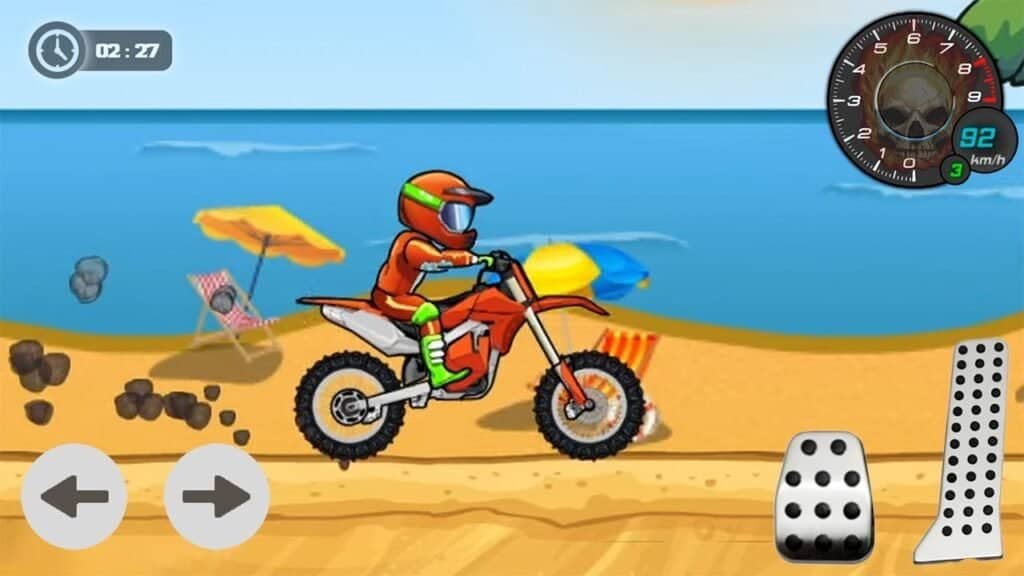
A stunt dirt bike game with discrete, rated levels — you’re timed from start to finish, and your rating (one to three stars) depends on how quickly you complete the course. Each level introduces new obstacles: explosives you can use to launch yourself, pendulums you need to time, and conveyor belts that fight your momentum.
Unlike the reflex games higher on this list, Moto X3M rewards reading the level before committing. The optimal line through a level isn’t always obvious on first attempt. The series has expanded — Moto X3M 2, 3, Pool Party, Spooky Land, and Winter each add new level packs.
Controls: Up to accelerate, Down to brake, Left/Right to rotate mid-air.
Retro Bowl
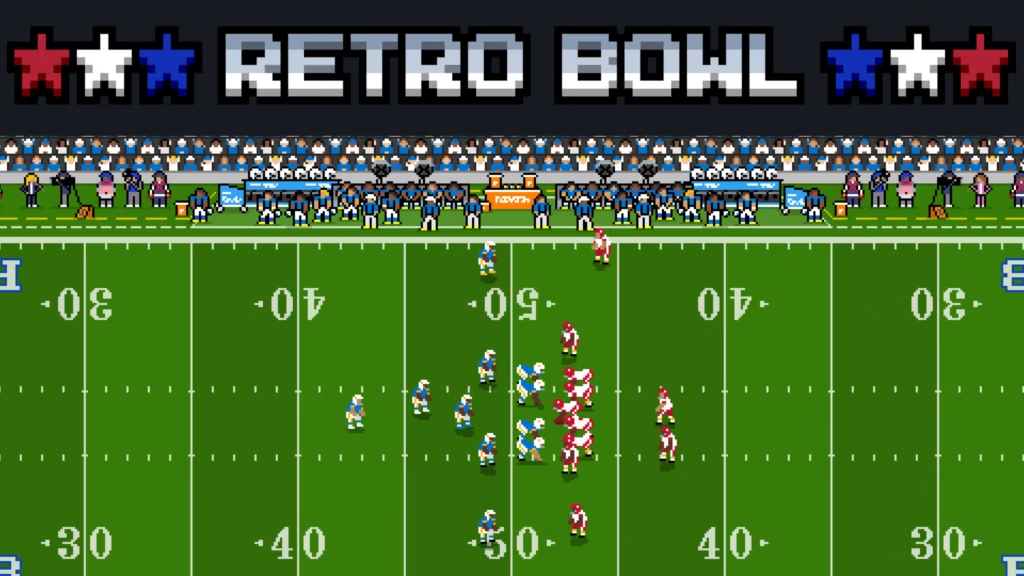
An American football game that operates on two levels. On the field, you control offense directly — call plays, throw to receivers, manage the clock. In the front office, you manage your entire franchise: draft players, negotiate contracts, deal with morale issues, and navigate the salary cap. The pixel art aesthetic is deliberate; the management depth is not.
Retro Bowl is one of the few unblocked games that works in 5-minute increments or hour-long sessions equally well. The front office gives you decisions that feel consequential across weeks of play.
Controls: Mouse for management, arrow keys + click for on-field gameplay.
Tunnel Rush
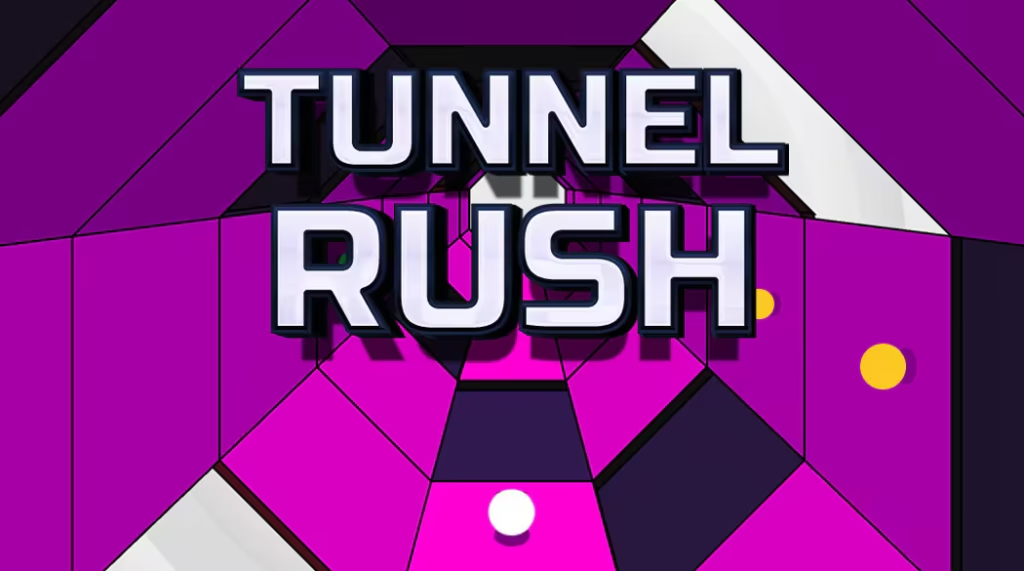
Tunnel Rush puts you inside a cylindrical tunnel filled with rotating colored barriers. You move left and right to avoid them as the speed continuously escalates. The visual style — pulsing neon colors, hypnotic repetition — is more intense than Slope, and the reaction demands are more severe. Sessions rarely exceed three minutes.
The natural pairing: keep Slope and Tunnel Rush in adjacent tabs. Die on one, switch to the other. Both are lightweight enough to open simultaneously on an older Chromebook without lag.
Controls: Left/Right arrow keys only. Session length: 1–3 minutes.
Basket Random
A chaotic basketball game where physics, player height, and court conditions randomize every round. Players flail unpredictably, the court tilts, and a single button controls your entire character. The deliberately absurd physics makes it as entertaining to watch as to play, which is why it works as a spectator game during lunch.
Best played two-player on the same device — one player uses W, the other uses the Up arrow. Matches last around 30 seconds per point, making it perfect for two-minute breaks.
Controls: W for Player 1, Up arrow for Player 2. Single button each.
Stickman Hook
A physics platformer where you swing between anchor points using a grappling hook. Click to attach, release to let go and carry momentum into the next swing. The skill ceiling is high — casual players complete levels slowly, experienced players build speed runs by chaining swings without touching the ground.
Stickman Hook has over 100 levels with increasing difficulty, and each level can be replayed for faster completion. It’s a good pick for players who find reflex games too punishing — the grappling mechanic is satisfying to execute even imperfectly.
Controls: Click or spacebar to hook/unhook. Session length: 5–20 minutes.
Unblocked Games 6x vs Classroom 6x — Are They the Same?
No. This is the single most common point of confusion in the entire unblocked games space, and it’s worth stating plainly: Unblocked Games 6x and Classroom 6x are completely different platforms.
They are independently operated, have no affiliation with each other, run on different domains, and are managed by different people. The naming similarity is coincidence — or more precisely, it’s both platforms independently using the same “6x” convention that became popular in the unblocked games community.
What they share:
- Both offer free browser-based HTML5 games
- Both are designed for school network access
- Both have large game libraries with significant overlap (Slope, Run 3, 1v1.LOL, Happy Wheels appear on both)
- Both use mirror or alternative URLs when primary domains get blocked
How they differ:
| Unblocked Games 6x | Classroom 6x | |
|---|---|---|
| Domain type | Dedicated gaming domain | Dedicated domain + Google Sites version |
| Filter bypass method | Mirror rotation | Mirror rotation + Google Sites structural bypass |
| Ad-free | Generally minimal ads | Original Google Sites version is fully ad-free |
| Interface | Clean, category-organized | Purpose-built, slightly more polished |
| Block resistance | Medium | Medium to High (Google Sites version) |
The practical answer to “which should I use”: try both and bookmark whichever loads on your network. On most school networks both are accessible. When one gets blocked, switch to the other. If both are blocked, G Plus is the fallback — see the next section.
Unblocked Games 6x vs Unblocked Games G Plus
These two platforms represent the two main approaches to school filter resistance, and understanding the difference tells you which to use when.
Unblocked Games 6x uses speed: it rotates mirror URLs faster than school blocklists update. It’s a dedicated gaming platform with a curated library and consistent experience. It can be blocked on any individual domain — but new mirrors appear faster than IT administrators can add them. On most school networks, 6x stays accessible almost indefinitely through mirror cycling.
Unblocked Games G Plus uses structure: it’s hosted on Google Sites (sites.google.com), the same domain as Google Classroom. Schools literally cannot block that domain without shutting down their own Google Workspace for Education infrastructure. Individual G Plus pages can be identified and blocked, but new ones are created constantly and the supply is unlimited. See our full G Plus guide for how to find currently active pages using the site: search method.
When 6x beats G Plus:
- You want a polished, single-destination experience with a searchable library
- The first link you find works immediately without searching
- You’re on a standard school network with weekly-or-less filter updates
When G Plus beats 6x:
- All 6x mirror domains are blocked (aggressive filter, frequently updated)
- Your school uses active monitoring with rapid domain blocking
- You want structural resistance rather than speed resistance
Most students use both — 6x as the primary daily platform, G Plus as the backup when 6x gets caught. The ideal setup is having a working link to each bookmarked at the same time.
All Three Platforms Compared
| Unblocked Games 6x | Classroom 6x | Unblocked Games G Plus | |
|---|---|---|---|
| Hosting | Dedicated domain | Dedicated domain + Google Sites | Google Sites only |
| Block resistance | Medium — mirror rotation | Medium to High | Very High — structural bypass |
| Library size | Large | Large, curated | Variable per page |
| Interface | Good | Excellent | Basic, creator-dependent |
| Ads | Minimal | None (Google Sites version) | Some pages have ads |
| Best use case | Primary daily platform | Primary daily platform | Backup on aggressive filters |
| When it fails | All mirrors blocked | Primary domain blacklisted | Individual pages spotted |
| Recovery method | Search for new mirror | Switch to Google Sites URL | Search site:sites.google.com |
Recommended priority order:
- Start with whichever of 6x or Classroom 6x loads first
- If both are blocked, use G Plus via the site:sites.google.com search method
- Bookmark all three — switching takes seconds when one goes down
What to Do When Unblocked Games 6x Is Blocked
Work through these options in order:
Search for a current mirror. Search “unblocked games 6x mirror 2026” or “unblocked games 6x working link” in Google, filtering to the past week. Mirror sites are created continuously — a URL published yesterday has never been added to any school’s blocklist yet. Always look for recently published results.
Try incognito mode. Some filter configurations treat incognito traffic differently, particularly on networks where filtering is browser-extension-based rather than network-level. On a school-managed Chromebook this rarely changes anything, but on a personal device on school Wi-Fi it’s worth trying.
Switch to Classroom 6x. If 6x is blocked but you haven’t tried Classroom 6x, try that now. Different domain means a fresh start on the blocklist.
Switch to G Plus. On networks where both 6x and Classroom 6x are blocked, understanding how G Plus bypasses school filters becomes important. Open Google and search: site:sites.google.com unblocked games. Any result is hosted on Google’s own infrastructure, which your school’s filter cannot block without breaking Google Classroom. Pick any result from the past few days — it’s almost certainly unblocked.
Clear browser cache. A cached “blocked” response occasionally persists in Chrome even after a new URL becomes accessible. Clear cached data in Chrome Settings → Privacy and Security → Clear browsing data → Cached images and files, then retry.
Check the URL carefully. Copycat sites sometimes appear in search results alongside legitimate mirrors. Verify the URL looks like a genuine gaming platform — if it’s asking you to download something, create an account, or enter personal information, close it immediately.
Is Unblocked Games 6x Safe?
Device security: The legitimate Unblocked Games 6x platform is safe in the same way any HTML5 gaming site is safe — nothing downloads to your device, games run inside the browser sandbox, and there are no executable files for security software to flag. The threat model is the same as visiting any other website: avoid clicking ads that try to redirect you, never download anything a page offers (no legitimate browser game requires a download), and close any tab that opens additional windows without your input.
The main risk comes from copycat domains. Because “Unblocked Games 6x” is a search term people use when their usual URLs are blocked, bad actors occasionally register similar-sounding domains to capture that traffic and serve malicious ads. The telltale signs: aggressive pop-ups, download prompts, requests to install browser extensions, or pages that look obviously different from the familiar interface.
Personal and account security: Never log into Unblocked Games 6x using your school Google account. Play as a guest on every gaming platform without exception. If a site claims you need to “sign in to play” using your school email, it is not a legitimate game page. Your school account activity is potentially visible to administrators — there is no reason to link gaming activity to it.
School monitoring: On school-managed devices, administrators typically have visibility into browsing activity regardless of incognito mode. GoGuardian and similar systems operate at the device management level, not the browser level. Playing Unblocked Games 6x doesn’t produce any file that could be discovered later — but the browsing activity itself may be logged depending on your school’s monitoring setup.
Is it against the rules? Possibly, depending on your school’s acceptable use policy. Playing browser games is not illegal under any law. It may violate school policy and carry school-level disciplinary consequences. The risk profile is a school rule issue, not a legal one.
Tips for Playing on a School Chromebook
Know the keyboard shortcut to close a tab. Ctrl+W closes the current tab instantly. Practice it until it’s reflexive — the moment you hear someone approaching, the tab is gone.
Mute the tab, not just the game. Right-click any Chrome tab → “Mute Tab.” This silences audio even if you forget to turn it off inside the game. Game sounds are the most common way players get caught.
Keep the game in a separate window, not full screen. Full screen is visible from across the room. A windowed tab can be obscured by other windows and is faster to switch away from with Alt+Tab.
Don’t use the same mirror link twice in a row. If a specific mirror URL works one day and you return to it the next, there’s a chance it’s been caught in the intervening time. Bookmarking three or four working mirrors means you always have a backup.
Check your school’s monitoring setup. Schools using GoGuardian Teacher give teachers real-time view of every student screen. If your teacher has ever mentioned what they saw on your screen without looking at your device, that system is active. No game site protects against screen monitoring — timing is the only variable you control.
Use the best unblocked games for Chromebook as your reference. Low-spec Chromebooks struggle with some browser games. The Chromebook guide filters specifically for games that run well on older hardware, which saves you time finding what works on your device.
FAQ
What is Unblocked Games 6x?
Unblocked Games 6x is a free browser-based gaming platform hosting HTML5 games accessible on school networks. It requires no downloads, no logins, and no extensions. The most popular games include Slope, Run 3, 1v1.LOL, Happy Wheels, Shell Shockers, Moto X3M, Retro Bowl, Tunnel Rush, Basket Random, and Stickman Hook.
Is Unblocked Games 6x the same as Classroom 6x?
No. Despite near-identical names, they are entirely separate platforms with different owners, different domains, and different game libraries. The similarity is a naming convention both platforms independently adopted. See our dedicated Classroom 6x guide for a full breakdown of that platform.
How does Unblocked Games 6x work at school?
Unblocked Games 6x uses a mirror-based system. When one domain gets added to a school’s blocklist, alternative mirror URLs continue serving the platform. All games are HTML5-based — nothing downloads to the device, and no browser extensions are needed.
What are the best games on Unblocked Games 6x?
Slope, Run 3, 1v1.LOL, Happy Wheels, Shell Shockers, Moto X3M, Retro Bowl, Tunnel Rush, Basket Random, and Stickman Hook are the most consistently popular in 2026.
What do I do if Unblocked Games 6x is blocked?
Search for “unblocked games 6x mirror 2026” and open a recently published result. If all mirrors are blocked, Unblocked Games G Plus is the most reliable fallback — it’s hosted on Google Sites and is structurally impossible for schools to block without disrupting Google Classroom.
Is Unblocked Games 6x safe?
The legitimate platform is generally safe — no executable downloads, no installations, games run in the browser sandbox. The main risk is copycat domains that impersonate 6x and serve malicious ads. Never download anything a game page offers. Never log in with your school email.
Does Unblocked Games 6x work on Chromebook?
Yes. All games are HTML5-based and run natively in Chrome with no extensions or downloads. Performance is optimized for low-spec devices including school-issued Chromebooks.
Is playing Unblocked Games 6x at school illegal?
No. Playing browser-based games is not illegal. It may violate your school’s acceptable use policy, which is a school rule with school-level consequences — not a legal matter.
What is the difference between Unblocked Games 6x and Unblocked Games G Plus?
They use different bypass strategies. 6x rotates mirror domains to stay ahead of blocklists. G Plus is hosted on Google Sites and cannot be blocked without disrupting Google Classroom. Both work on most networks; G Plus is more resistant on aggressively filtered ones.
Mirror URLs and platform availability change regularly as new links appear and filters update. If a specific link isn’t working, search for “unblocked games 6x working 2026” and filter results to the past week.