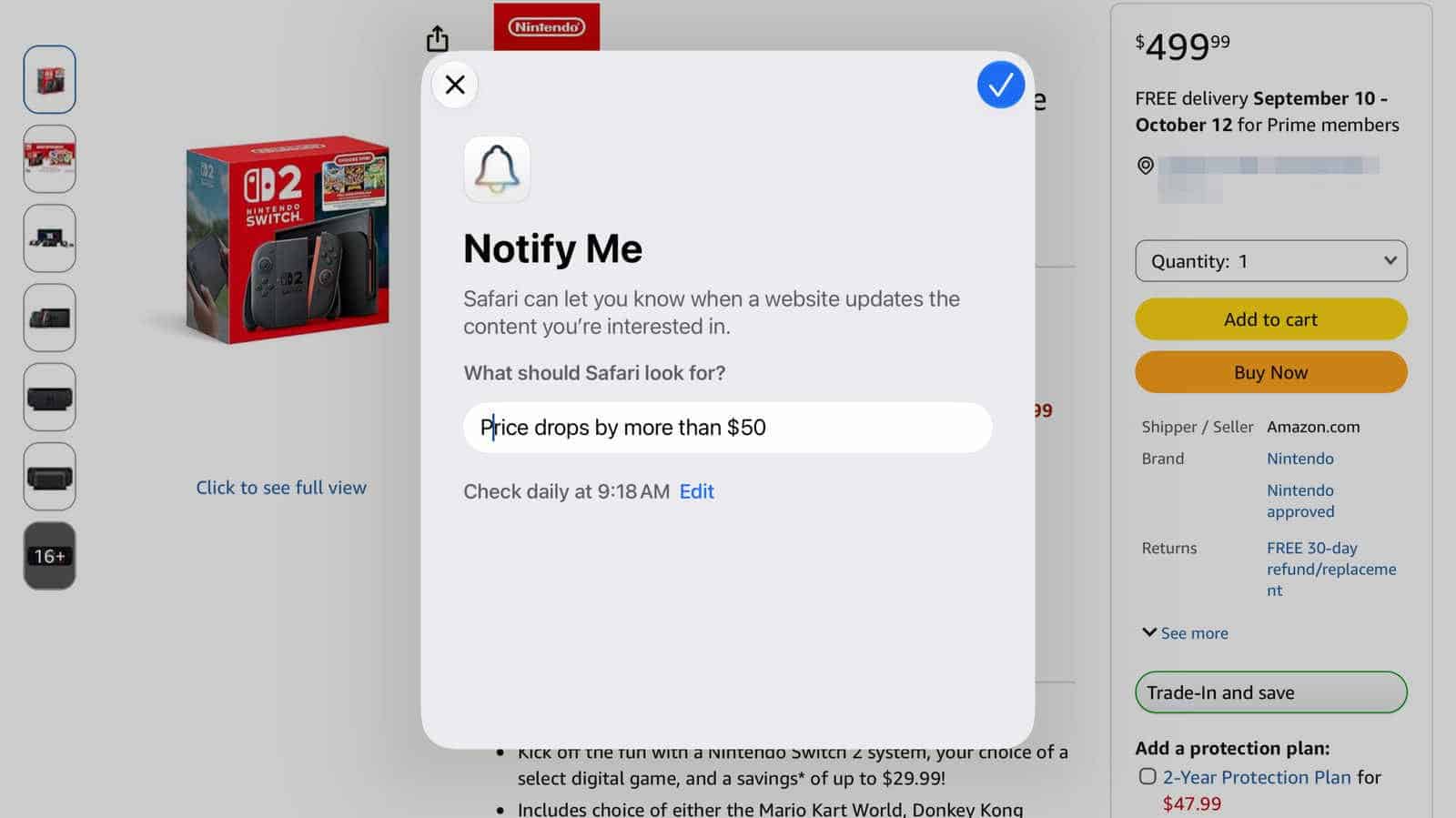

The most useful thing in iOS 27 isn’t a headline feature. It’s a small button hiding behind the three horizontal lines on the left side of Safari’s address bar, and it will watch a webpage for you until something on it changes.
Apple calls it Notify Me. The pitch is narrow on paper: product restocks and price drops. Tell it what to look for, tell it how often to check, and it sends you a notification when it detects that particular change on any website.
It’s not just for shopping
The restock-and-price-drop framing undersells what you can point it at. Notify Me isn’t limited to product changes or price fluctuations. Concert ticket availability, tour dates, news stories on a particular topic, anything else you can imagine that lives on a page and changes over time.
That’s the part worth sitting with. You describe the change in plain language, and the tool handles the rest without you lifting a finger.
No extensions, no third-party app
It works directly inside Safari. There’s no browser extension to install, no separate app to sign into, no account to create with some price-tracking service that wants your email.
Notify Me is available in iPadOS 27 and macOS 27 Golden Gate as well as on the iPhone.
Setting it up takes about a minute
Tap or click the three horizontal lines on the left side of Safari’s address bar, then select Notify Me. A pop-up appears and asks you to describe the changes you want it to monitor.
Next, select the blue edit button. That’s where you set the exact time it polls for changes and whether you want it checking hourly, daily, weekly or monthly. When the blue checkmark appears in the upper right, you can confirm the Notify Me alert.
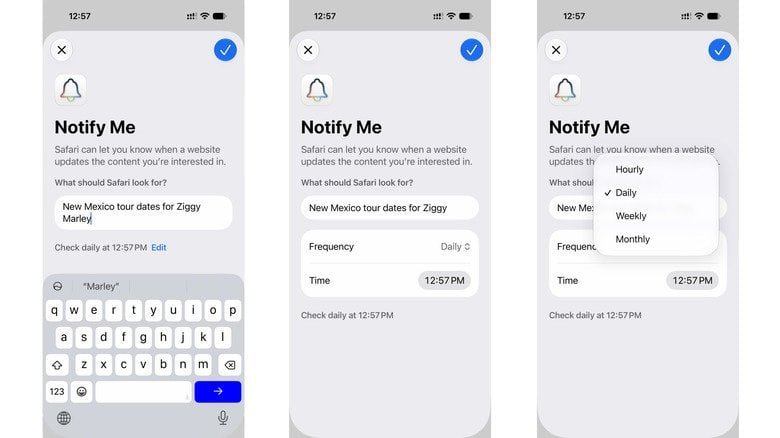
If you’ve never set up notifications for Safari, you’ll get prompted to do that first.
Pick your device carefully, because this one runs locally
Here’s the detail that changes how you should use it. The feature runs on the device, not in the cloud. So set it up on the device where you’ll most likely see the alert.
If you’ve got an iPhone that always travels with you, that’s the one. Configure a restock alert on a Mac that sits closed on a desk all weekend and you’re going to find out about it late.
Editing and deleting an alert
Go back to the same page and select Edit in the banner at the top. Or open Settings, then Safari, and scroll down to Notify Me near the bottom.
Set the polling interval to match what you’re actually waiting for. Hourly makes sense for a sold-out console or a ticket drop. For a price you’re hoping falls eventually, daily is enough, and your notification tray will thank you.