
![Android's anti-nausea dots are here, and they work [Hands-On]](https://cryptogames.gg/wp-content/uploads/2026/08/androids-anti-nausea-dots-are-here-and-they-work-hands-on.jpg "Android's anti-nausea dots are here, and they work [Hands-On]")

Google is rolling out an Android feature that’s been proven to reduce, or even eliminate, motion sickness when you use a phone inside a moving vehicle. It’s called Motion Assist, and it’s close enough to Apple’s Motion Cues, first introduced in 2024, that nobody at Google is pretending otherwise.
The Android 17 feature appears to be rolling out in phases, with some Pixel phones getting it first.
Why the dots aren’t a gimmick
The science here is sound. Motion sickness in a car comes from staring at a static display while your inner ear registers turns, braking and acceleration. Your eyes say nothing is moving. Your inner ear disagrees. Your stomach picks a side.
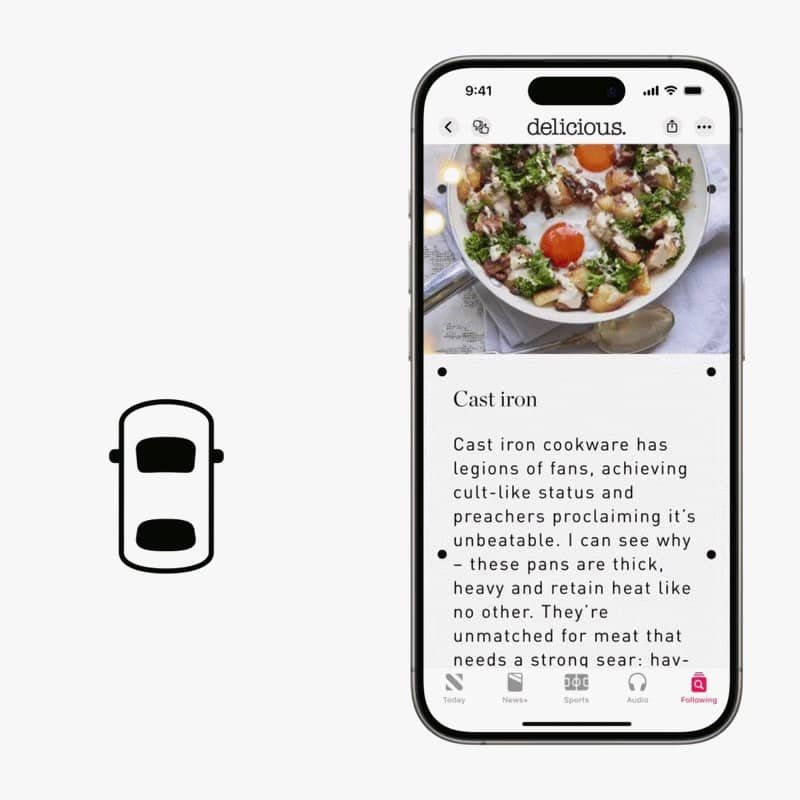
Motion Assist taps your phone’s accelerometer and gyroscope to place dots around the edges of the display that move in harmony with the car. Turn right and the dots sweep across the screen to the left. Brake and they slide forward.
I’ve been living with this feature, on the other platform
I’m here to tell you this tech works. As an avid vanlifer, I’m often working on my MacBook and iPhone from the passenger seat while we drive to the next destination. That’s only possible with the anti-nausea feature switched on. Without it, I can’t stomach it.
My wife is a convert too, and she was the skeptic.
What Google lets you change
You can set the opacity of the motion indicators and choose from a range of shapes and colors. That’s more control than a first pass at this usually gets.
The feature can be configured to turn on automatically when it detects a moving vehicle, or you can toggle it from a tile in Quick Settings. The automatic option is the one that matters, because the moment you remember you need it is usually the moment it’s already too late.
Whether you can get it yet
Here’s the catch. It hasn’t arrived on a pair of Pixel devices we tested, which tells you something about how narrow this rollout is right now.
If you’re lucky, you’ll find Motion Assist in your Google Settings, under Your Profile and All Services. Go look now rather than when you’re already queasy in the passenger seat, because hunting through a settings menu on a winding road is the exact thing this feature exists to prevent.




[…] apps to install. No extra hardware. Android's built-in hotspot does the whole […]