





















 George Tsagkarakis
Photo Studio opens from the pause menu, or with Square on PS5 and X on Xbox. Save Photo files the shot inside the game, in the Gallery app on the in-game phone, while a console screenshot with the interface hidden, using Create on PS5 or Share on Xbox, puts a copy on the console itself.
Getting in
Two doors exist: pause and pick Photo Studio, or press Square on PS5 / X on Xbox. The tool is available from the start of Lucia’s prologue, so nothing needs unlocking.
The toolkit
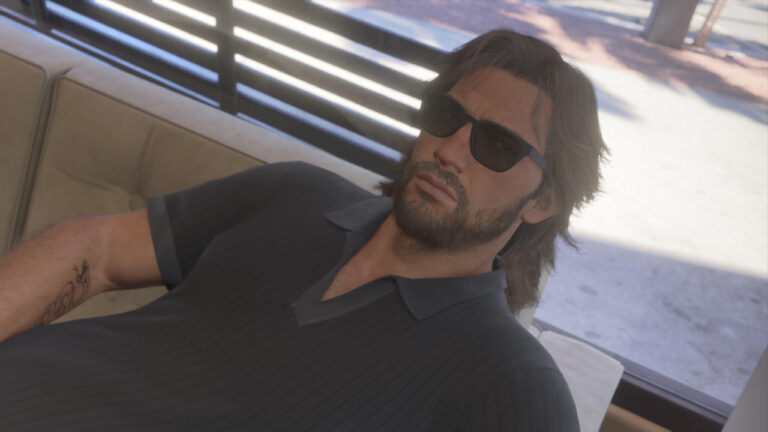
Inside you get a free camera, depth of field, filters, a hide character option and up to five lights. That beats a plain screenshot by a mile, and it is enough to stage a proper scene.
Hard limits exist too. Time of day and weather stay fixed, Jason and Lucia cannot be repositioned, and Snapmatic is read-only.
Where the pictures land
- Save Photo: the shot lives in the game, inside the Gallery app on the in-game phone.
- Console screenshot with interface hidden: Create on PS5 or Share on Xbox. It lands in the Media Gallery on PS5, or under My Games and Apps, then Apps, then Captures on Xbox.
The step order
- Pause and choose Photo Studio, or press Square / X.
- Frame the scene with the free camera.
- Tune depth of field, filters and lights, five max.
- Hide a character for a clear shot.
- Hit Save Photo for the in-game copy, or screenshot with the interface hidden.
The safe way to keep one
For a picture that survives on the console, use the console screenshot button with the interface hidden: Create on PS5, Share on Xbox. PS5 files it in the Media Gallery, Xbox under Captures.
Cheat sheet
- Open: pause menu, or Square / X.
- Unlocked: from the start of Lucia’s prologue.
- Tools: free camera, depth of field, filters, hide character, five lights.
- Locked: time of day, weather, character positions.
- Save Photo: phone Gallery app.
- Console capture: Create / Share.
The phone itself is covered in how to use the phone in GTA 6.
FAQ
How is Photo Studio opened in GTA 6?
From the pause menu, or with Square on PS5 and X on Xbox.
Where do the pictures end up?
Save Photo files them in the Gallery app on the in-game phone, and console screenshots go to the console’s capture gallery.
Can the weather be changed in Photo Studio?
No. Time of day, weather and character positions all stay fixed.
How do I screenshot without the interface?
Press Create on PS5 or Share on Xbox while the interface is hidden.