

Updated: April 2026
Happy Wheels contains cartoon violence and gore including decapitation and dismemberment presented in a slapstick context. It is not appropriate for younger students. Parental discretion is advised.
What Is Happy Wheels?
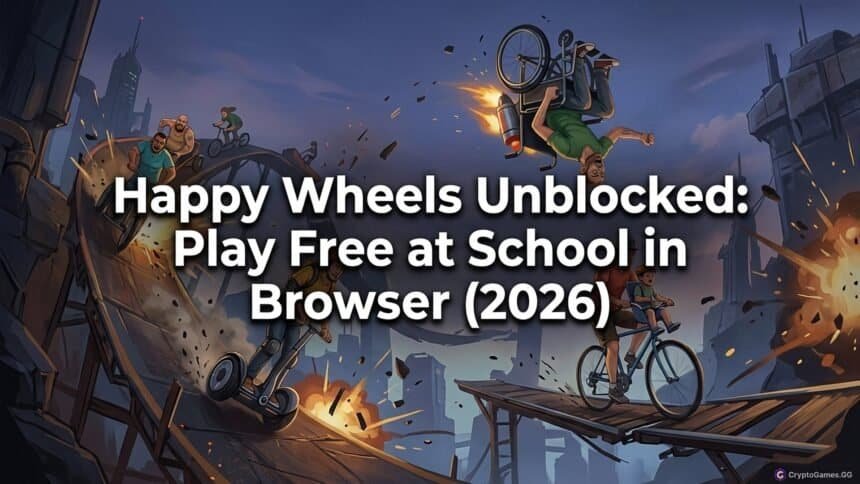
Happy Wheels is a browser-based physics ragdoll game where you navigate characters on various vehicles — a bicycle, a wheelchair, a Segway, a jet ski — through obstacle courses designed to be lethal. The game’s physics engine produces unpredictable, slapstick-violent outcomes: hitting a spike trap might decapitate your character while the body continues rolling forward, or a catapult might launch your character across the level leaving limbs behind.

The game was developed by Jim Bonacci and originally released in 2010. The HTML5 port replaced the original Flash version and runs in any modern browser. The game has a large library of user-created levels through its in-built level editor, which means the amount of content is effectively unlimited — players have created thousands of levels ranging from obstacle courses to puzzles to character showcase levels.
Happy Wheels is widely played in school environments for one reason: it generates reactions. Watching the physics engine produce a particularly spectacular failure is as entertaining as playing, which makes it a social game even when only one person has the keyboard. This distinguishes it from most solo reflex games like Slope, where the experience is personal rather than shareable.
Controls
| Action | Key |
|---|---|
| Accelerate / move forward | Up arrow or W |
| Brake / move backward | Down arrow or S |
| Lean forward | Right arrow or D |
| Lean backward | Left arrow or A |
| Eject from vehicle | Spacebar |
| Left arm control | Z |
| Right arm control | X |
| Both arms | Shift |
Controls vary depending on the character and vehicle. Some characters — like the pogo stick character — have a jump input. The Irresponsible Dad on a bicycle uses lean controls primarily; the Wheelchair Guy uses a boost mechanic. Spend a few seconds in each character’s level to understand how they handle before committing to a longer run.
Best Levels to Try First
Default character levels: The game’s built-in featured levels are the best starting point. They are designed by the developer, balanced for the specific character, and showcase the mechanics without overwhelming new players.
Spike trap courses: Simple obstacle courses with spike traps teach the ragdoll physics system quickly. The immediate feedback from hitting a trap — and watching the physics outcome — is the core entertainment loop in its purest form.
Racing levels: Some user-created levels are designed as actual racing challenges rather than survival courses. These reward consistent vehicle control and tend to have less extreme gore than the obstacle courses.
Viewer levels: Certain popular user-created levels function as showcase attractions — elaborate contraptions where you watch what happens when triggered. These are closer to physics demonstrations than games.
Content Warning — Read Before Playing at School
Happy Wheels contains cartoon gore including limb detachment, decapitation, and blood effects. It is presented in an absurdist, slapstick style rather than a realistic one, but the content is explicit. Several things to consider for school use:
Some schools block Happy Wheels specifically on content grounds regardless of hosting platform. If the game does not load on a G Plus or Classroom 6x page, it may have been individually identified and blocked — not the platform itself.
Playing in a visible location will draw attention. The game produces dramatic, conspicuous visual outcomes. Playing with sound on is strongly inadvisable in a school setting.
It is not appropriate for younger students. Despite the cartoonish presentation, the content is intended for older audiences.
Where to Play Happy Wheels Unblocked
Unblocked Games G Plus hosts Happy Wheels on Google Sites infrastructure. Search site:sites.google.com happy wheels unblocked in Google to find currently active pages. The Google Sites hosting means the platform cannot be blocked at the domain level without disrupting Google Classroom.
Classroom 6x includes Happy Wheels in its game library. The Google Sites version of Classroom 6x (sites.google.com/view/classroom6x/) carries the same hosting advantage.
Unblocked Games 6x also hosts Happy Wheels. Use mirror URLs if the primary domain is blocked on your network.
FAQ
Is Happy Wheels appropriate for school?
Happy Wheels contains cartoon violence and gore. It is not appropriate for young students. Older students and adults play it for its absurd ragdoll physics.
What are the controls for Happy Wheels?
Arrow keys control movement and balance. Spacebar ejects the character. Z controls the left arm, X controls the right arm. Controls vary by vehicle.
Does Happy Wheels require a download?
No. The HTML5 version of Happy Wheels runs entirely in the browser with no download, plugin, or extension required.
Why is Happy Wheels blocked at some schools?
Some schools specifically block Happy Wheels on content grounds due to its cartoon violence, regardless of what platform hosts it. If the game does not load, the specific game page may have been manually blocked rather than the hosting platform.