














Crypto Games ExtensionCrypto Games AppTelegram NewsSubmit

GTA 6 guides

30 new in the last 5 daysAll →
GTA 6 Pay 'n' Spray: 19 Shops and What a Respray Really DoesGTA 628 minutes agoGTA 6 Pay ‘n’ Spray: 19 Shops and What a Respray Really DoesGTA 6 Has No Full First-Person Mode, and Rockstar Plans NoneGTA 61 hour agoGTA 6 Has No Full First-Person Mode, and Rockstar Plans NoneGTA 6 NPC Reactions: Why Pedestrians Flee or Fight BackGTA 62 hours agoGTA 6 NPC Reactions: Why Pedestrians Flee or Fight BackGTA 6 Food, Exercise and Sleep: Effects on Jason and LuciaGTA 63 hours agoGTA 6 Food, Exercise and Sleep: Effects on Jason and LuciaGTA 6 Animals: Hunting, Fishing, Dogs and the Study ListGTA 64 hours agoGTA 6 Animals: Hunting, Fishing, Dogs and the Study ListGTA 6 heists in order: Cartel, VCIA and vault payoutsGTA 64 hours agoGTA 6 heists in order: Cartel, VCIA and vault payoutsGTA 6 Properties: Garages to Buy, Safehouses You CannotGTA 65 hours agoGTA 6 Properties: Garages to Buy, Safehouses You CannotFlying Planes in GTA 6: Where to Find Your First AircraftGTA 66 hours agoFlying Planes in GTA 6: Where to Find Your First AircraftGTA 6 Phone Apps: What Each Does and When It UnlocksGTA 66 hours agoGTA 6 Phone Apps: What Each Does and When It UnlocksGTA 6 Cheat Codes: Unlock Rules, Costs and Fake Phone ListsGTA 67 hours agoGTA 6 Cheat Codes: Unlock Rules, Costs and Fake Phone ListsGTA 6 Save Game: Manual Saves and Lost ProgressGTA 68 hours agoGTA 6 Save Game: Manual Saves and Lost ProgressGTA 6 robbery witnesses: stars, cameras and the clockGTA 69 hours agoGTA 6 robbery witnesses: stars, cameras and the clockGTA 6 Patch Notes: Three Updates Since Launch WeekGTA 69 hours agoGTA 6 Patch Notes: Three Updates Since Launch WeekGTA 6 Ultimate Edition: What the $20 BuysGTA 610 hours agoGTA 6 Ultimate Edition: What the $20 BuysGTA 6 Platinum Trophy: About 200 Hours to Earn ItGTA 612 hours agoGTA 6 Platinum Trophy: About 200 Hours to Earn ItGTA 6 Trophies: Full List Breakdown of All 55 at LaunchGTA 613 hours agoGTA 6 Trophies: Full List Breakdown of All 55 at LaunchGTA 6 Difficulty Options: No Easy Mode, Several AssistsGTA 614 hours agoGTA 6 Difficulty Options: No Easy Mode, Several AssistsGTA 6 Accessibility Options: Every Tab ExplainedGTA 615 hours agoGTA 6 Accessibility Options: Every Tab ExplainedGTA 6 fuel system: gas stations, EVs and dry tanksGTA 615 hours agoGTA 6 fuel system: gas stations, EVs and dry tanksGTA 6 offline play: one online launch, then no internetGTA 617 hours agoGTA 6 offline play: one online launch, then no internetGTA 6 Sprint Button: L3 Default and the Classic SchemeGTA 618 hours agoGTA 6 Sprint Button: L3 Default and the Classic SchemeGTA 6 Aim Settings: Lock-On, Partial and Free AimGTA 618 hours agoGTA 6 Aim Settings: Lock-On, Partial and Free AimGTA 6 performance: 30 fps everywhere, no 60 fps modeGTA 618 hours agoGTA 6 performance: 30 fps everywhere, no 60 fps modeGTA 6 Focus Ability: Unlock Mission, Controls and ZonesGTA 619 hours agoGTA 6 Focus Ability: Unlock Mission, Controls and ZonesGTA 6 Beginner Tips for Your First Hours in LeonidaGTA 620 hours agoGTA 6 Beginner Tips for Your First Hours in LeonidaGTA 6 garage slots: registration, garages and the $4k floorGTA 620 hours agoGTA 6 garage slots: registration, garages and the $4k floorGTA 6 wanted level: six stars, four states and iconsGTA 621 hours agoGTA 6 wanted level: six stars, four states and iconsGTA 6 losing the cops: four steps from sight to quietGTA 621 hours agoGTA 6 losing the cops: four steps from sight to quietGTA 6 strip clubs: locations, prices and no hookupsGTA 621 hours agoGTA 6 strip clubs: locations, prices and no hookupsGTA 6 relationship levels: the four tiers, no break upGTA 623 hours agoGTA 6 relationship levels: the four tiers, no break up
Windows Search on Windows 11 Is About to Change Forever

Windows Search on Windows 11 Is About to Change Forever

George Tsagkarakis 2 min read
Contents 4 sections
We may include affiliate links in our content, meaning we could earn a commission—or receive blockchain-based assets—if you click a link and make a purchase or take a specific action. Additionally, we use generative AI to help draft and refine our posts for clarity and grammar. All content is fact-checked and reviewed by a human editor before publication.

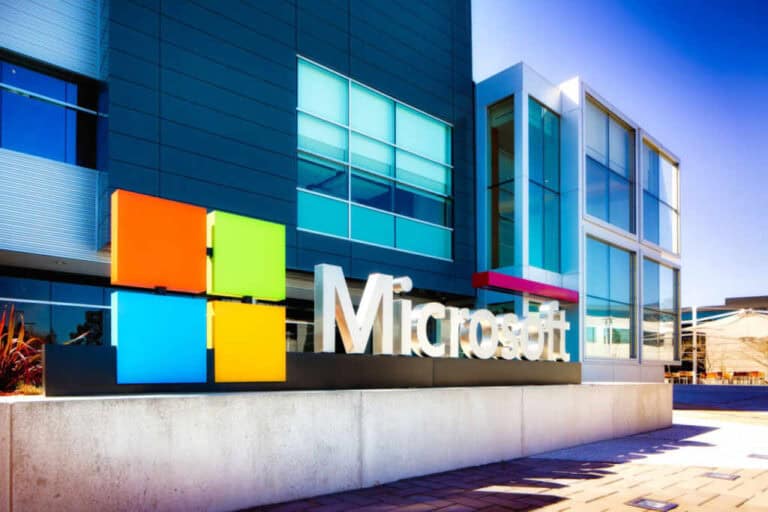
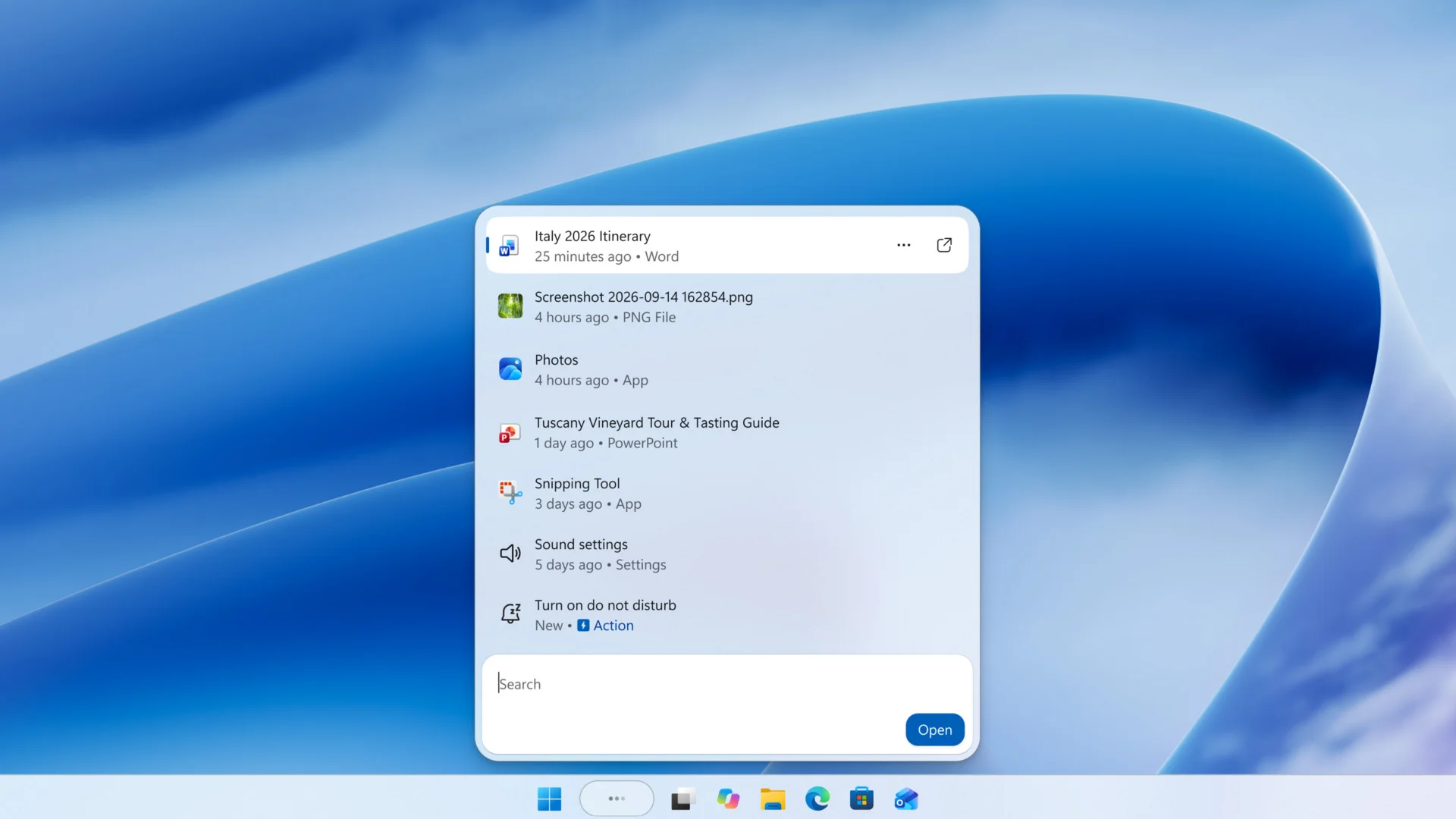
The search box on the Windows 11 Taskbar has spent years doing a single job: finding apps and files. Microsoft wants it doing a dozen more, and the company announced a complete overhaul of Windows Search to make that happen.

The redesigned Search is already available for Windows Insiders, and Microsoft said all Windows 11 users will get it soon.
Windows Search on Windows 11 Is About to Change Forever
Windows Search on Windows 11 Is About to Change Forever 1 Windows Search on Windows 11 Is About to Change Forever

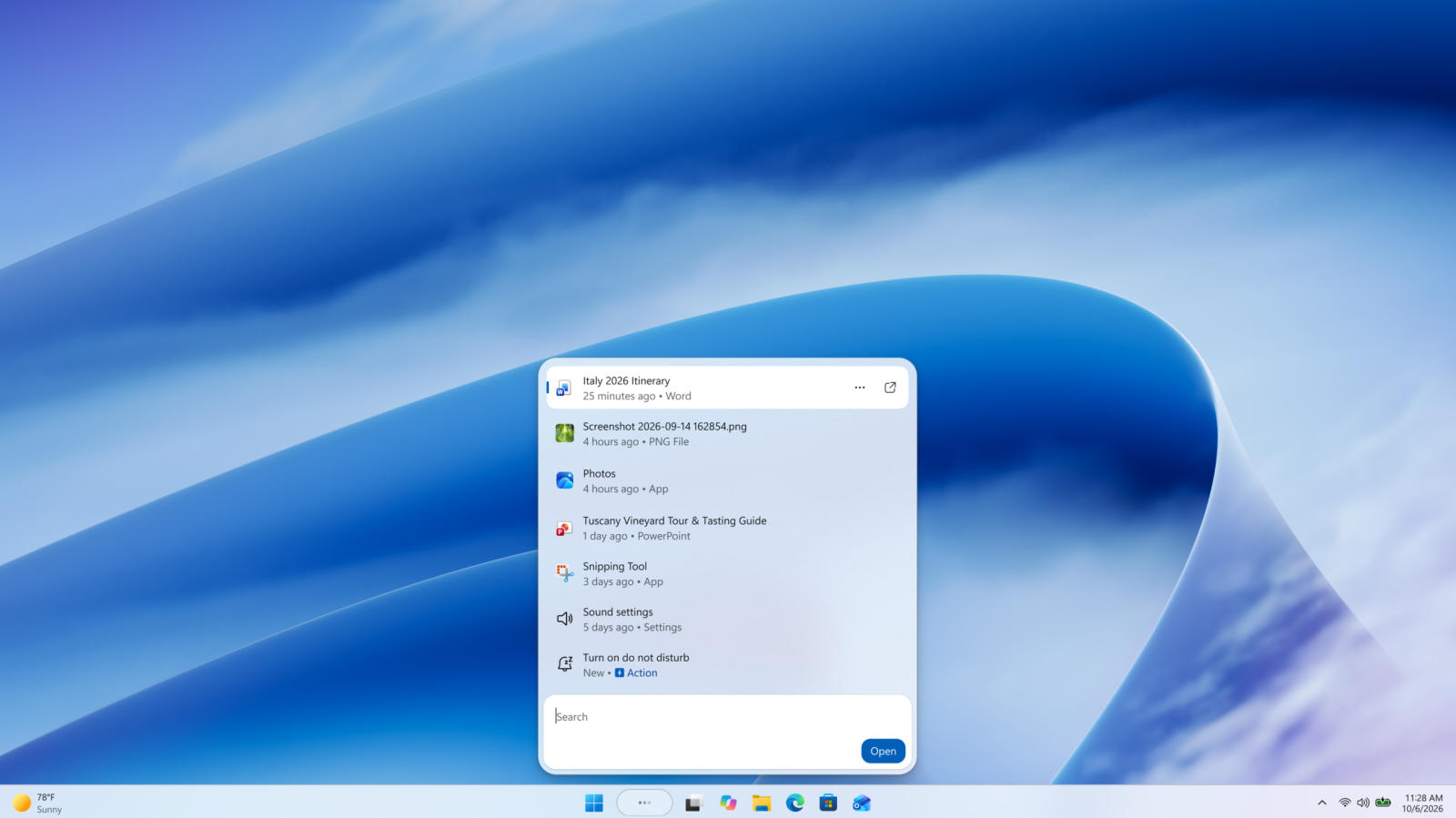
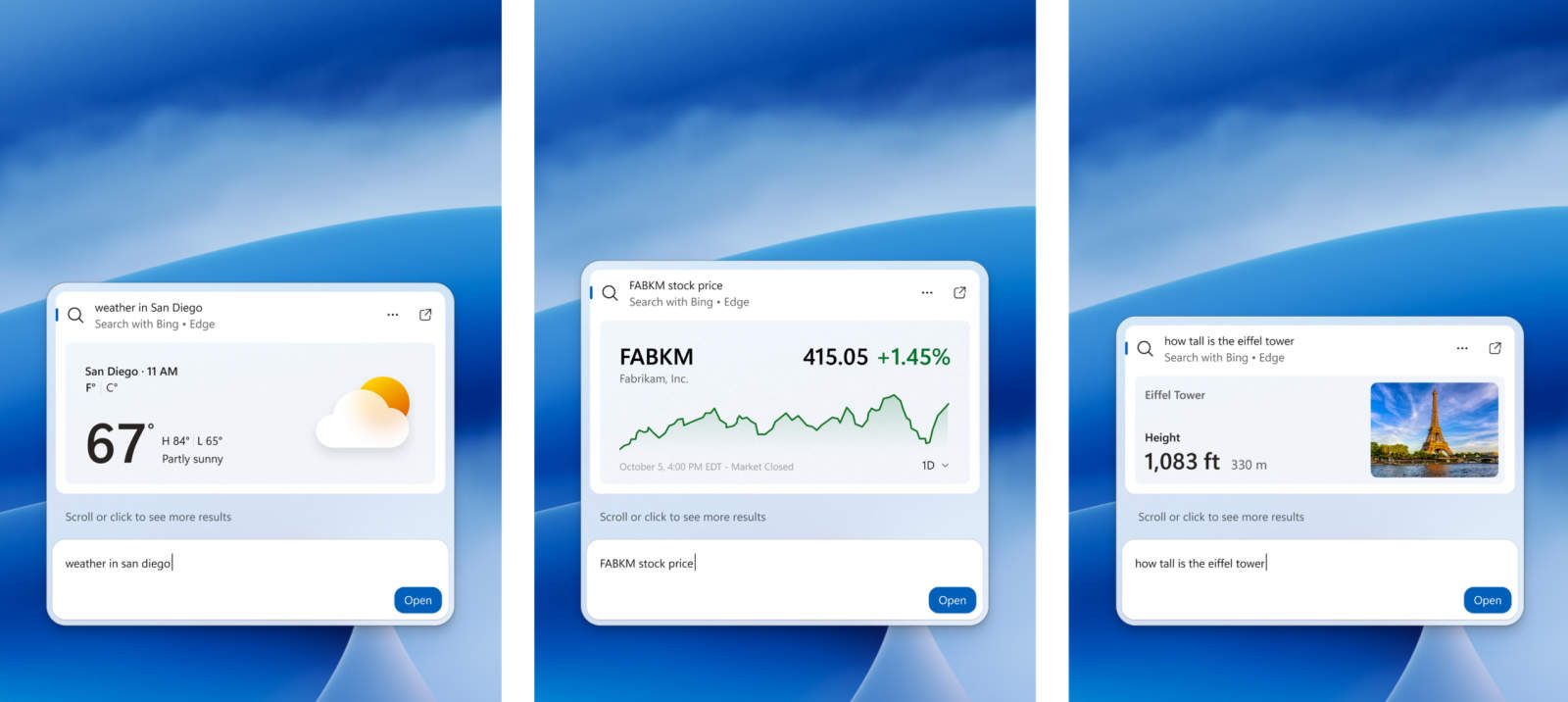
The scope is the story here. Microsoft said Windows 11 users will soon be able to perform thousands of quick actions directly from the Taskbar search: toggling Dark Mode, enabling “Do Not Disturb,” or adjusting microphone volume, all without leaving the search bar.
Windows Search on Windows 11 Is About to Change Forever
Windows Search on Windows 11 Is About to Change Forever 2 Windows Search on Windows 11 Is About to Change Forever

The command list extends from there. Search can flip Bluetooth on or off, launch other apps, and send messages through the Phone Link app using various commands.
Windows Search on Windows 11 Is About to Change Forever
Windows Search on Windows 11 Is About to Change Forever 3 Windows Search on Windows 11 Is About to Change Forever

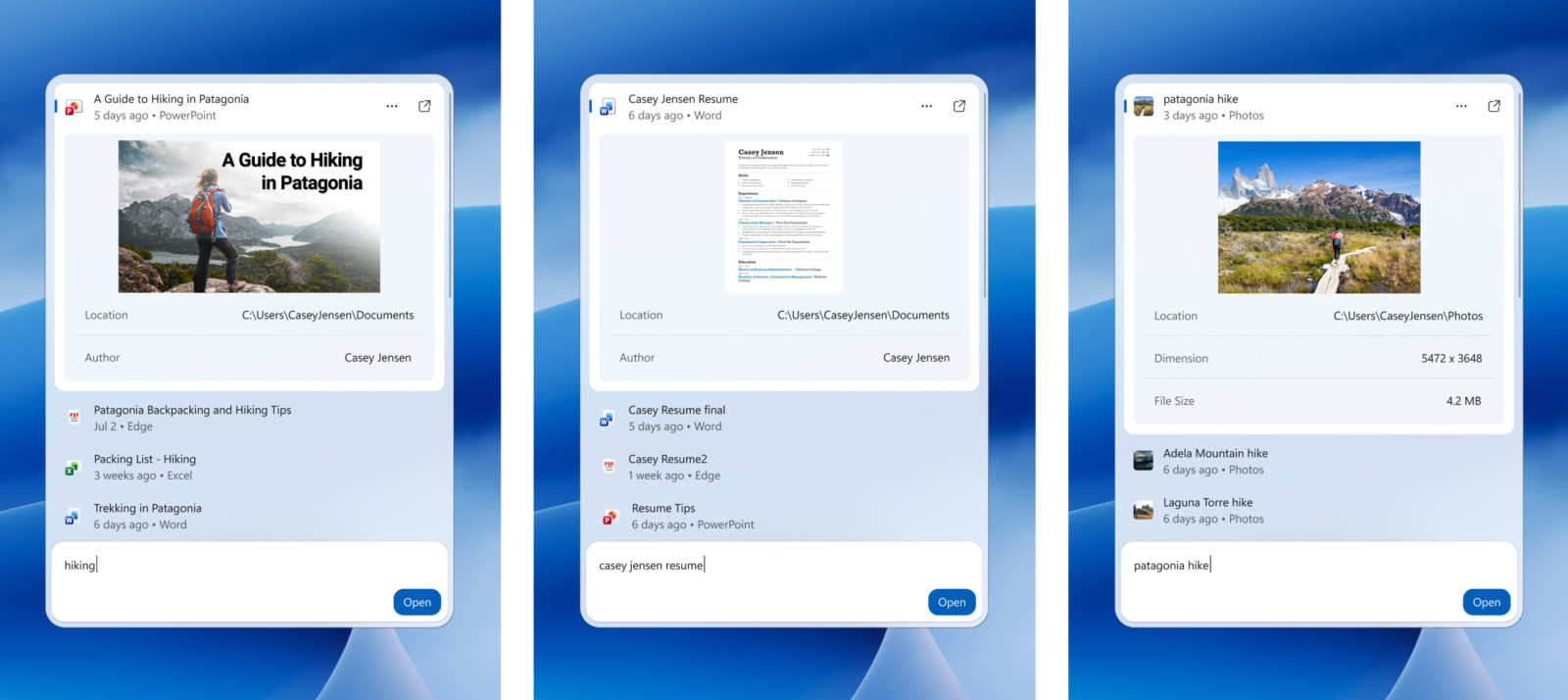
The most interesting shift is what happens after you type. Results now appear directly within the Search interface. No separate folders, apps, or websites required.

That includes photos, which you can view within the Windows Search environment itself. Microsoft paired the change with larger preview windows for files and said the new Search has a deeper understanding of user queries.

Typo tolerance got attention too. The system is more effective at recognizing misspellings, so one sloppy keystroke won’t send you back to retype the whole thing.

Faster and lighter, at least on paper

Microsoft said the new Search is designed to be more responsive and use less memory, two claims worth holding it to.

Alongside the speed claims, the redesign brings a modern, cleaner aesthetic with “smoother motion.”

If you’re a Windows Insider, the overhaul is already waiting in your build. Everyone else gets it soon, and the quick actions are the part worth trying first.

Share this article
George Tsagkarakis

George Tsagkarakis, known as Staycalm4now is a professional author in the crypto gaming industry since early 2018. He has experienced all the growth of Blockchain Gaming and helped multiple projects achieve their goals and established a player base. He is the co-founder of egamers.io and now the Founder and owner of CryptoGames.gg He is also the COO of MyStage, an…

More from Apps & Social Media

Leave a Reply